mirror of
https://github.com/rabbibotton/clog.git
synced 2026-02-05 15:23:03 -08:00

202 lines
6.9 KiB
Markdown
202 lines
6.9 KiB
Markdown
# CLOG - The Common Lisp Omnificent GUI
|
|
|
|
## David Botton <david@botton.com>
|
|
|
|
### License BSD 3-Clause License
|
|
|
|
View the HTML Documentation:
|
|
|
|
https://rabbibotton.github.io/clog/clog-manual.html
|
|
|
|
|
|

|
|
|
|
The Common Lisp Omnificent GUI, CLOG for short, uses web technology to
|
|
produce graphical user interfaces for applications locally or remotely.
|
|
CLOG can take the place, or work alongside, most cross-platform GUI
|
|
frameworks and website frameworks. The CLOG package starts up the
|
|
connectivity to the browser or other websocket client (often a browser
|
|
embedded in a native template application.)
|
|
|
|
STATUS: CLOG is complete and all work is on higher order additions,
|
|
such as full desktop over the web, database tools,etc. See below for
|
|
some enhacements being worked on. CLOG is actually based on GNOGA, a
|
|
framework I wrote for Ada in 2013 and used in commercial production
|
|
code for the last 8 years, i.e. the techiniques CLOG uses are solid
|
|
and proven.
|
|
|
|
CLOG is being actively extended daily. Check the github discussion
|
|
boards for the latest.
|
|
|
|
Some potential applications for CLOG:
|
|
|
|
* Cross-platform GUIs and Reports
|
|
* Secure websites and complex interactive web applications
|
|
* Mobile software
|
|
* Massive multiplayer online games
|
|
* Monitoring software for embedded systems
|
|
* A fun way to teach programming and advanced multi-tasking
|
|
parallel programming techniques. (CLOG is a parallel GUI)
|
|
* And the list goes on
|
|
|
|
The key to CLOG is the relationship it forms with a Browser window
|
|
or Browser control compiled to native code. CLOG uses websockets
|
|
for communications and the browser to render a GUI that maintains
|
|
an active soft realtime connection. For most CLOG applications all
|
|
programming logic, events and decisions are done on the server
|
|
which can be local, or remote over the web.
|
|
|
|
CLOG is developed on an M1 MacBook with ECL, it is tested fairly
|
|
regulary with SCBL on Linux, Windows and Intel MacBook. It should
|
|
in theory work on any system Quicklisp and CLACK will load on to.
|
|
|
|
CLOG will be in Quicklisp in the next update, but because I am still
|
|
adding code daily, it is currently preferable to clone the github repo
|
|
into your ~/common-lisp directory:
|
|
|
|
```
|
|
cd ~/common-lisp
|
|
git clone https://github.com/rabbibotton/clog.git
|
|
```
|
|
|
|
To load this package and work through tutorials (assuming you
|
|
have Quicklisp configured):
|
|
|
|
1. Start emacs then M-x slime
|
|
2. In the REPL, run (tutorials currently 1 - 22):
|
|
|
|
```
|
|
CL-USER> (ql:quickload :clog)
|
|
CL-USER> (clog:run-tutorial 1)
|
|
```
|
|
|
|
To see where the source files are:
|
|
|
|
```
|
|
CL-USER> (clog:clog-install-dir)
|
|
```
|
|
|
|
You can the run the demos with (currently 1 or 3):
|
|
|
|
```
|
|
CL-USER> (ql:quickload :clog)
|
|
CL-USER> (clog:run-demo 1)
|
|
```
|
|
|
|
You can also open a "clog-repl" window in your browser to play
|
|
from the common-lisp repl:
|
|
|
|
```
|
|
CL-USER> (in-package clog-user)
|
|
CLOG-USER> (clog-repl)
|
|
CLOG-USER> (setf (background-color *body*) "beige")
|
|
CLOG-USER> (create-div *body* :content "Hello World!")
|
|
```
|
|
|
|
To open a browser with the CLOG manual:
|
|
|
|
```
|
|
CL-USER> (clog:open-manual)
|
|
```
|
|
|
|
Work your way through the tutorials. You will see how quick and easy it is
|
|
to be a CLOGer.
|
|
|
|
|
|
|
|
|
|
|
|
|
|
|
|
Here is a sample CLOG app:
|
|
|
|
```lisp
|
|
(defpackage #:clog-user ; Setup a package for our work to exist in
|
|
(:use #:cl #:clog) ; Use the Common Lisp language and CLOG
|
|
(:export start-tutorial)) ; Export as public the start-tutorial function
|
|
|
|
(in-package :clog-user) ; Tell the "reader" we are in the clog-user package
|
|
|
|
|
|
;; Define our CLOG application
|
|
(defun on-new-window (body) ; Define the function called on-new-window
|
|
"On-new-window handler." ; Optional docstring to describe function
|
|
|
|
(let ((hello-element ; hello-element is a local variable that
|
|
; will be bound to our new CLOG-Element
|
|
|
|
;; This application simply creates a CLOG-Element as a child to the
|
|
;; CLOG-body object in the browser window.
|
|
|
|
;; A CLOG-Element represents a block of HTML (we will later see ways to
|
|
;; directly create buttons and all sorts of HTML elements in more
|
|
;; lisp-like ways with no knowledge of HTML or JavaScript.
|
|
(create-child body "<h1>Hello World! (click me!)</h1>")))
|
|
|
|
(set-on-click hello-element ; Now we set a function to handle clicks
|
|
(lambda (obj) ; In this case we use an anonymous function
|
|
(setf (color hello-element) "green")))
|
|
|
|
(run body))) ; Keep our thread alive until connection closes
|
|
; and prevent garbage collection of our CLOG-Objects
|
|
; until no longer needed.
|
|
|
|
;; To see all the events one can set and the many properties and styles that
|
|
;; exist, refer to the CLOG manual or the file clog-element.lisp
|
|
|
|
|
|
(defun start-tutorial () ; Define the function called start-tutorial
|
|
"Start tutorial." ; Optional docstring to describe function
|
|
|
|
;; Initialize the CLOG system
|
|
(initialize #'on-new-window)
|
|
;; Set the function on-new-window to execute
|
|
;; every time a browser connection to our app.
|
|
;; #' tells Common Lisp to pass the function
|
|
;; to intialize and not to execute it.
|
|
|
|
|
|
;; Open a browser to http://12.0.0.1:8080 - the default for CLOG apps
|
|
(open-browser))
|
|
```
|
|
|
|
Work in progress:
|
|
(Add an enhancement request if you want to see a specific feature not yet covered.)
|
|
|
|
Tutorial Summary
|
|
|
|
- 01-tutorial.lisp - Hello World
|
|
- 02-tutorial.lisp - Closures in CLOG
|
|
- 03-tutorial.lisp - Events fire in parallel
|
|
- 05-tutorial.lisp - The event target, reusing event handlers
|
|
- 05-tutorial.lisp - Using connection-data-item
|
|
- 06-tutorial.lisp - Tasking and events
|
|
- 07-tutorial.lisp - My first CLOG video game (and handling disconnects)
|
|
- 08-tutorial.lisp - Mice Love Containers
|
|
- 09-tutorial.lisp - Tabs, panels, and forms
|
|
- 10-tutorial.lisp - Canvas
|
|
- 11-tutorial.lisp - Attaching to existing HTML
|
|
- 12-tutorial.lisp - Running a website in CLOG (routing)
|
|
- 13-tutorial/ - Flying Solo - A minimalist CLOG project
|
|
- 14-tutorial.lisp - Local (persistent) and Session client-side storage
|
|
- 15-tutorial.lisp - Multi-media
|
|
- 16-tutorial.lisp - Bootstrap 4, Loading css files and javascript
|
|
- 17-tutorial.lisp - W3.CSS layout example and Form submit methods
|
|
- 18-tutorial.lisp - Drag and Drop
|
|
- 19-tutorial.lisp - Using JavaScript components
|
|
- 20-tutorial.lisp - New CLOG plugin from JavaScript component
|
|
- 21-tutorial.lisp - New CLOG plugin in Common-Lisp
|
|
- 22-tutorial.lisp - CLOG GUI Menus and Desktop Look and Feel
|
|
|
|
Demo Summary
|
|
|
|
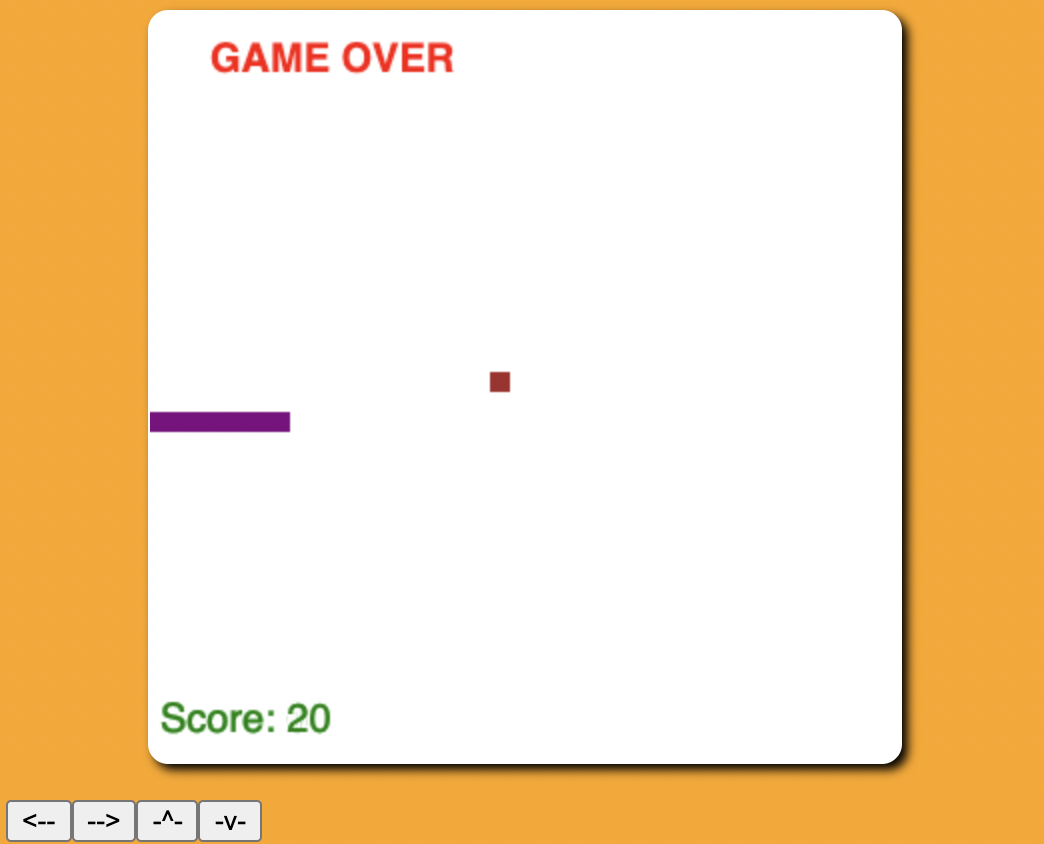
- 01-demo.lisp - Sparkey the Snake Game
|
|
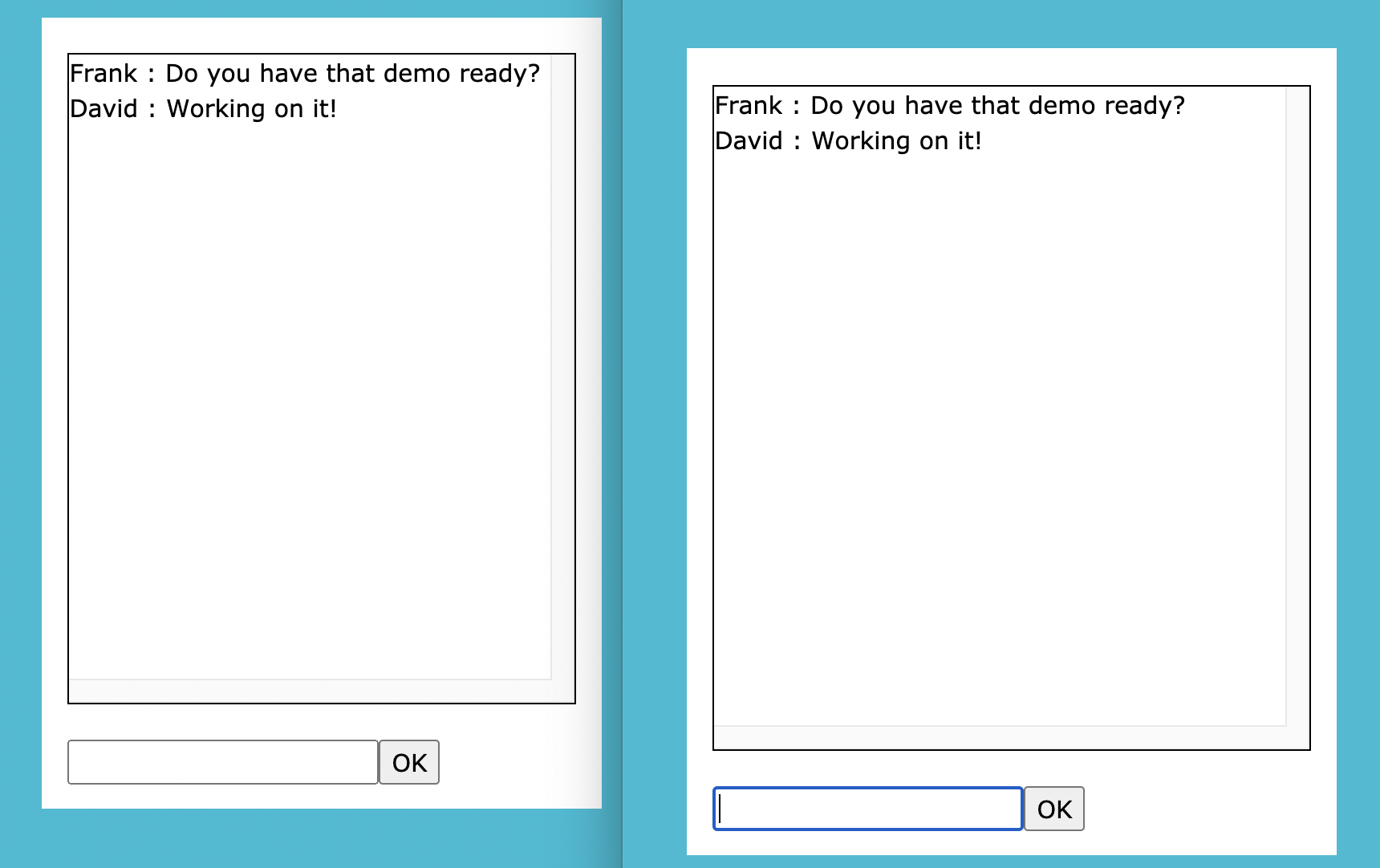
- 02-demo.lisp - Chat - Private instant messenger
|
|
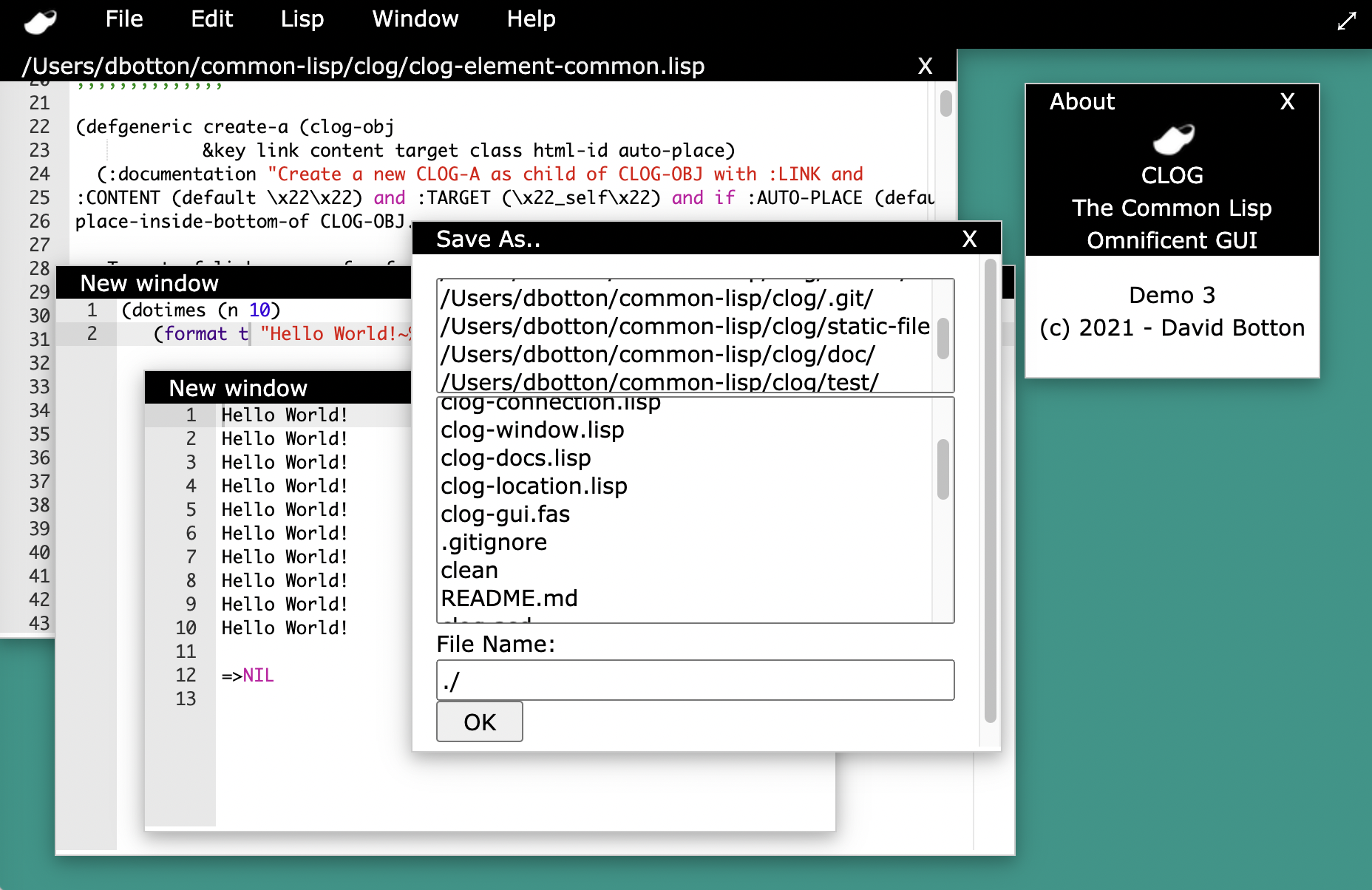
- 03-demo.lisp - IDE - A very simple common lisp IDE
|
|
|
|
High Order Extensions to CLOG
|
|
|
|
- clog-gui - Desktop over the web
|
|
- Menus
|
|
- Windowing system
|
|
- In progress - Feb 2020 - File Load / Save dialogs
|