| .github | ||
| .vscode | ||
| build-resources | ||
| docs/images | ||
| features | ||
| localization | ||
| scripts | ||
| src | ||
| template/wiki | ||
| .editorconfig | ||
| .env | ||
| .eslintignore | ||
| .eslintrc.js | ||
| .gitignore | ||
| .nvmrc | ||
| .prettierrc.js | ||
| cucumber.js | ||
| LICENSE | ||
| package-lock.json | ||
| package.json | ||
| PrivacyPolicy.md | ||
| README.md | ||
| tsconfig.eslint.json | ||
| tsconfig.json | ||
| webpack.alias.js | ||
| webpack.main.config.js | ||
| webpack.plugins.js | ||
| webpack.renderer.config.js | ||
| webpack.rules.js | ||

TiddlyGit 太记 
| macOS | Linux | Windows |
|---|---|---|
 |
 |
 |
TiddlyGit - Customizable personal knowledge-base with git as backup manager and blogging platform.
太记 - 可定制性极强的个人知识管理系统,使用 Git 作为备份管理器和博客平台。
You can choose storage provider for your wiki workspace:
- "Github" as unlimited storage and gh-pages blogging platform.
- "Local" will create a local git repo for you, you can use GithubDesktop to sync manually.
- "Gitlab" and "Gitee" is on the way
你可以选择你的 WIKI 工作区的存储服务提供商:
- 「Github」是一个无限存储空间、可以用 GH-Pages 部署博客的平台。
- 「本地」模式会创建一个本地仓库来备份你的 WIKI,你可以用 GithubDesktop 来手动同步内容到云端。
- 「Gitlab」和「码云」还待支持,不过架子已经搭好了。

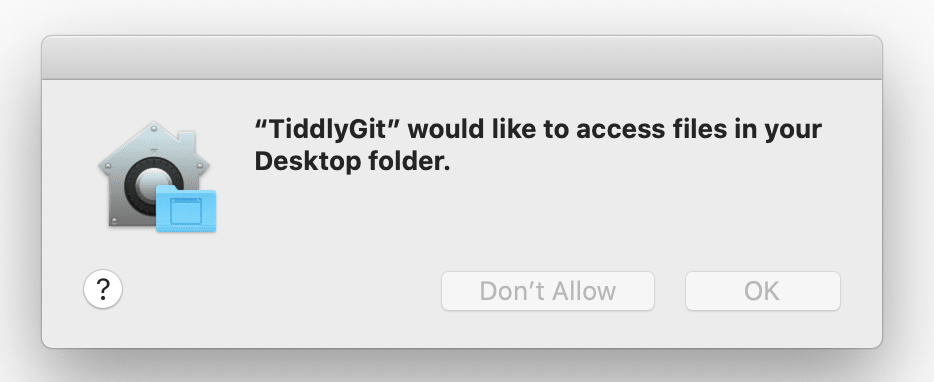
For mac users, since I haven't buy Apple developer key yet, so you have to entrust App to open it, click here to expand details.
Mac 使用者点击这里展开操作方法,我没钱买苹果开发者账号,所以你得手动信任这个应用◀
Click "Cancel" ↓


Click "Open" ↓

Click "OK" ↓
About TiddlyGit-Desktop 关于「太记-桌面版」
TiddlyGit is a cross-platform Note Taking & GTD & Fragment Knowledge Management desktop app powered by nodejs-TiddlyWiki, it ship with a lot of tiddlywiki plugins from the TiddlyWiki community.
You can call it TG-Note, it is totally free and you own all your data. Code by the people, build for the people.
「太记」是一个跨平台的笔记软件、时间和任务管理工具、碎片化知识管理工具,此乃其桌面版。「太记」基于强大的 NodeJS 版「太微(TiddlyWiki)」 构建,并带上了大量来自太微社区(TiddlyWiki community)的插件。
「太记」来自 TiddlyWiki 的译名「太微」,以及 TiddlyGit 首字母的谐音。当然你也可以直接叫它 TGNote,镰锤 ☭ 笔记。
为什么把 TiddlyWiki 翻译成「太微」?因为受到 @pimgeek 的启发:TiddlyWiki 可以干很多细致轻量的工作,但也从不限制用法,可以无限组合叠加。故以其首字母音译为「太微」,TiddlyWiki 可以称为「太微笔记」「太微万能抽屉」「太微卡片盒」……
太微垣,三垣之一,按《步天歌》,太微垣為三垣的上垣。 太微垣又名天庭,是政府的意思,也是貴族及大臣們居住的地方。
Screenshots 截图


Why Github?
Because Github is one of the best free civil level BaaS:
- Its storage is basically free, allow us to store unlimited images and pdf files, which can have permanent URIs for public download
- It has GraphQL API that allow us programmatically update our wiki
- It has free CI to automatically deploy our TiddlyWiki blog
- It provides unlimited repository, public and private, which enables us to store private content into our TiddlyWiki
Why not TiddlyDesktop?
Main reasons:
- NodeJS version of TiddlyWiki have seamless auto-save experience, which is taking the advantage of SyncAdaptor instead of Saver, TG have better support for NodeJS wiki
- Using NodeJS wiki, We can have separated tiddler files, which can be modified by hand, or by other programs (e.g. VSCode with VSCode-TW5-Syntax)
- Though TiddlyDesktop can load wiki folder generated by nodejs-TiddlyWiki, it can't backup that folder to the Github easily like TG does
- With the electron as a shell, I can use
fs,gitand many other nodejs things within TiddlyWiki, which greatly extend the hackability, which is the reason why I choose TiddlyWiki as my daily KM tool
Download
Just download it from Github Release Free Download
You can also find changelog in the Release.
Development
Development plan of TiddlyGit-Desktop is listed in these Kanban.
Explanation of our code can be found in the Wiki.
To contribute, fork this repo, then clone it and setup development environment
# First, clone the project:
git clone https://github.com/YOUR_ACCOUNT/TiddlyGit-Desktop.git
cd TiddlyGit-Desktop
# Or maybe you are just using Github Desktop
# or GitKraken to clone this repo,
# and open it in your favorite code editor and terminal app

# switch to the nodejs version same as electron used version, other wise you may get

# Error: The module '/Users/linonetwo/Desktop/repo/TiddlyGit-Desktop/node_modules/opencv4nodejs-prebuilt/build/Release/opencv4nodejs.node'

# was compiled against a different Node.js version using

# NODE_MODULE_VERSION 88. This version of Node.js requires

# NODE_MODULE_VERSION 93. Please try re-compiling or re-installing

# the module (for instance, using `npm rebuild` or `npm install`).

# See https://github.com/justadudewhohacks/opencv4nodejs/issues/401#issuecomment-463434713 if you still have problem rebuild opencv for @nut-tree/nut-js

nvm use

# install the dependencies

npm i

# Run development mode

# You can see webpack error messages in http://localhost:9000/

npm start

# Build for production

npm run package
Publish
Add a tag like vx.x.x to a commit, and push it to the origin, Github will start building App for all three platforms.
After Github Action completed, you can open Releases to see the Draft release created by Github, add some comment and publish it.
Credits
The desktop app shell is based on https://github.com/atomery/singlebox and atomery/webcatalog, they provide lots of utils around website-generated-app, much powerful than generating app from website simply using Chrome. Also the independent developer @quanglam2807 behind these great tools helps me a lot when I develop TiddlyGit.
Current Icon is download from iconsdb under Creative Commons Attribution-NoDerivs 3.0 , if you are a designer, please feel free to contribute your ICON if you have a better idea.